Key Features:
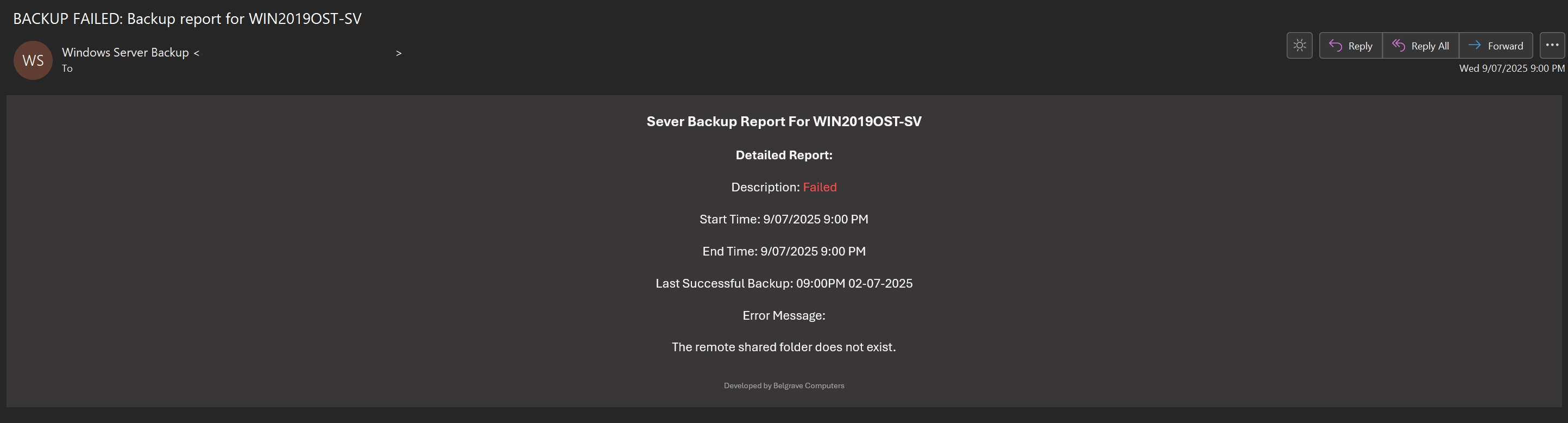
Email notification:
A preview of an email notification - this is an error notification.
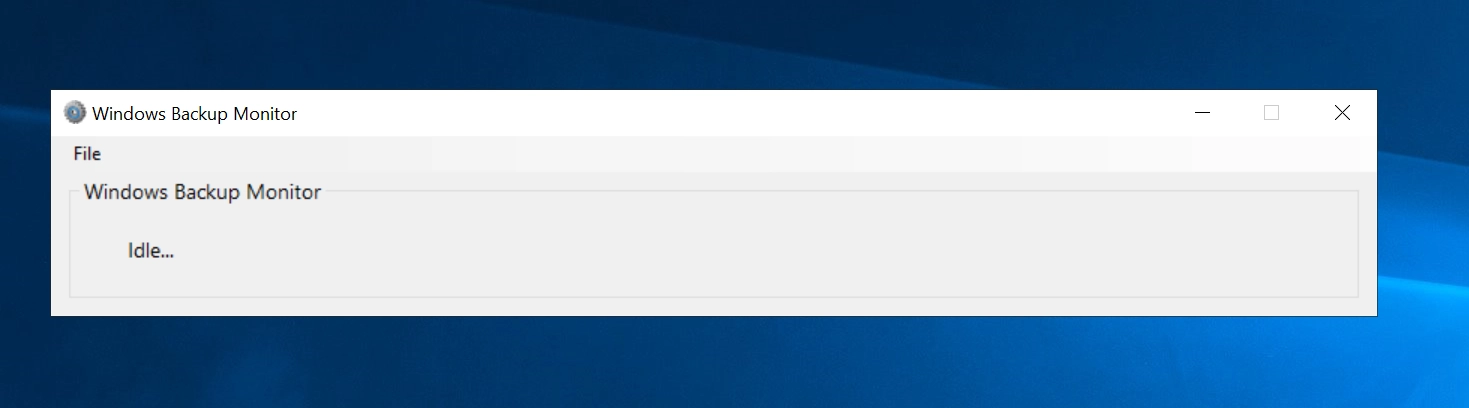
The main screen:
A status message indicates the current software function - when no task is running, the software is idle.
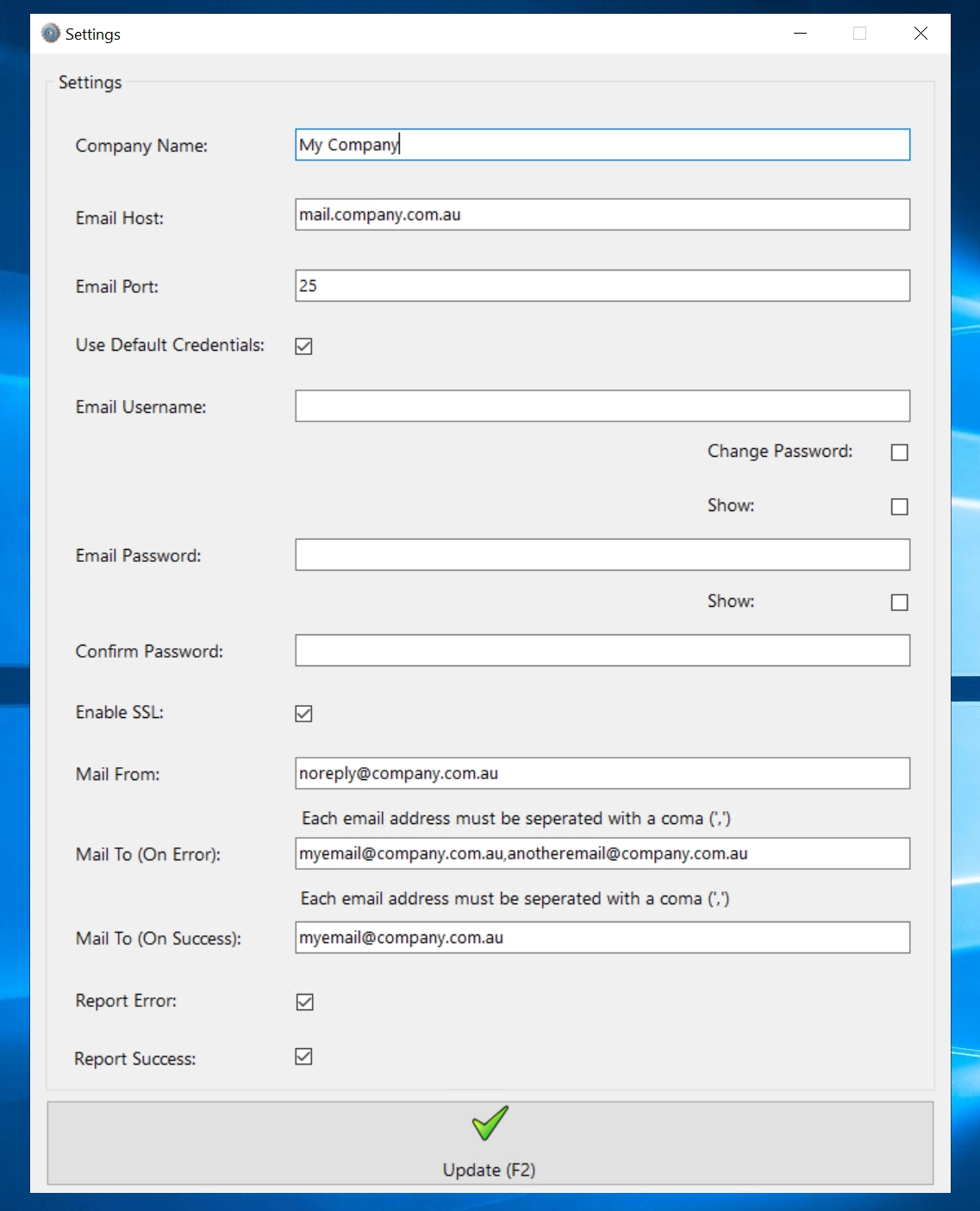
Settings:
Supports multiple email addresses on fail and or on success
When multiple email addresses are stipulated a comma seperator must be used (',').
Run Tests:
Test email ensures emails will be received, test task ensures the program is functioning correctly and backups are monitored.

Log:
Additionally, on top off emails - backups are logged for 90 days.
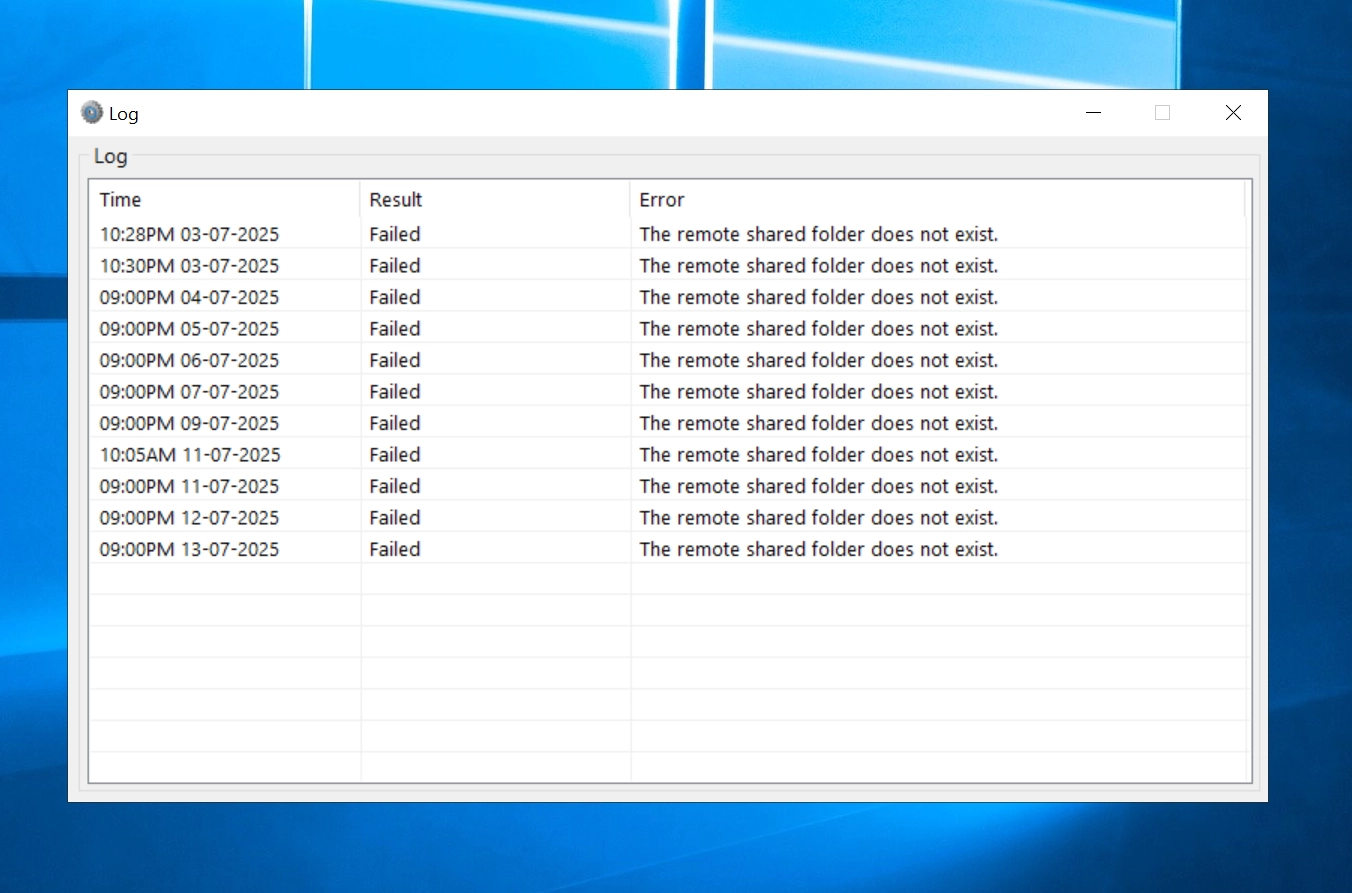
Similarly, a detailed log can be viewed by right clicking on the log and selecting view log.
